
PlotThing is a comprehensive story management and writing application I’m building. It provides writers with tools to organize their creative work and export directly to publishing formats.
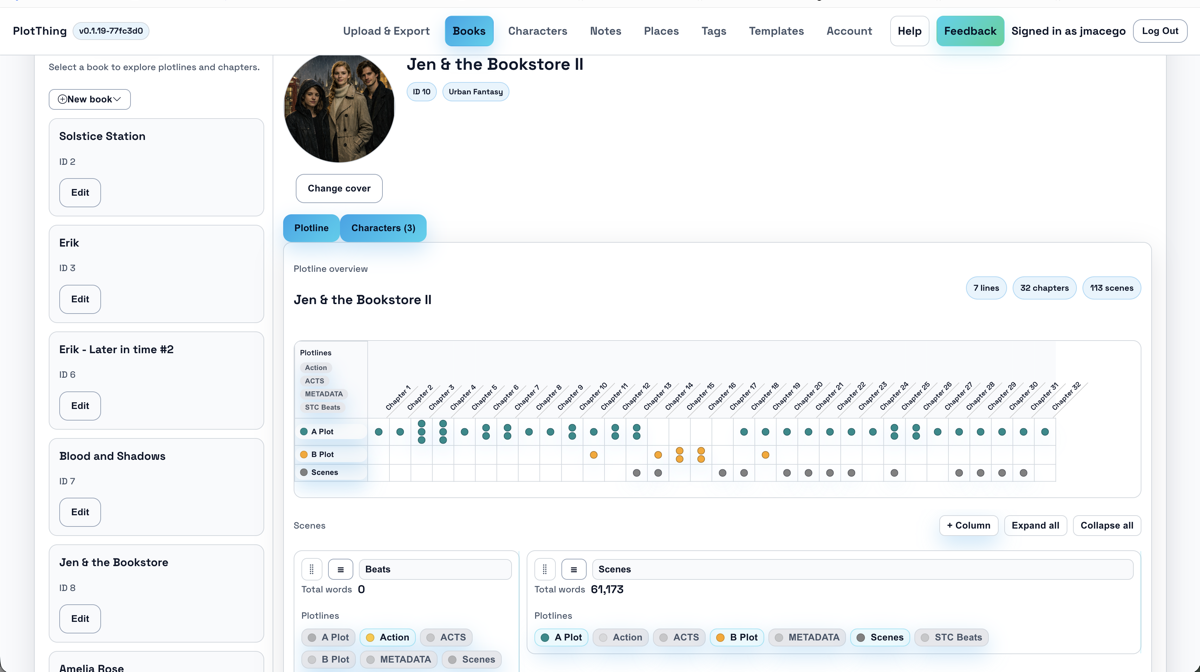
Key Features
- Story Organization: Manage characters, places, scenes, chapters, and entire books in one place
- Prose Writing: Write your entire manuscript directly in the tool with Markdown support
- Export Options: Direct export to Kindle EPUB, Microsoft Word (.docx), and Markdown
- Scrivener Compatible: Import and export .pltr and .scriv files for writers already using Scrivener
- GitHub Integration: Version control your writing with automatic sync to GitHub repositories
- Templates: Create reusable templates for characters, places, and book structures
- No Account Required: Guest mode stores preferences locally — start writing immediately
Why I Built This
As someone who enjoys writing and technology, I wanted a tool that treats manuscripts like code — versioned, exportable, and not locked into a proprietary format. PlotThing bridges the gap between creative writing software and developer workflows.
Technical Stack
PlotThing runs as a web application with:
- Local-first storage (IndexedDB) for privacy and offline capability
- Optional cloud backup for signed-in users
- GitHub API integration for version control
- Export pipelines for EPUB, DOCX, and Markdown formats
Get Started
Go to beta.plotthing.com and sign up for beta access.